







Building A1 DDP - Dubai Silicon Oasis
Industrial Area - 342001 -
Dubai - United Arab Emirates
+971 50 756 2346


SERVICES

COMPANY LINKS
SIGN-UP
For Newsletter



You’ve probably admired a wonderfully designed app or website and thought, “I wish I could create something like that.”
Maybe you’ve already started exploring UI design fundamentals, but with so many tools, principles, and technical terms, it's easy to feel overwhelmed.
The good news? You don’t need a degree or years of experience to get started. You just need the right roadmap.
In this guide, we’ll walk you through how to learn UI design basics from visual design and color theory to real-world practice and feedback.
You’ll discover the UI design principles behind intuitive interfaces, the tools the best UI designers use, and how to build your first user-friendly designs, step by step.
Let’s simplify the learning curve, so you can start designing interfaces that stand out and make users fall in love.
UI design (User Interface design) is the process of designing the visual layout and interactive elements of a digital product, such as buttons, menus, colors, and
typography, to ensure a user-friendly experience.
It’s how apps, websites, and digital tools look and how users interact with them.
When done well, UI design creates an intuitive interface that feels natural and effortless. It’s the reason why some apps just “make sense” and others feel frustrating or outdated.
Here’s what UI design typically includes:
We’ve applied these principles in real-world projects, like the Sustainable Food Surplus Management App, where we designed a clean, intuitive interface to simplify surplus tracking. Or this AI Inventory Management Platform, where UI clarity was critical to streamline complex dashboards.
A good UI isn’t just about aesthetics. It impacts real results. A well-designed interface can increase conversions by up to 400%. And 94% of first impressions on a website are design-related. (2)
The demand for UI design is rising fast. The global market is projected to reach $7.43 billion by 2032 (3), and roles in UI/UX design are growing across industries.
Whether you want to land your first job, offer a UI design service, or improve your product design skills, learning the basics will help you build user-friendly interfaces and a rewarding career.
Let’s dive into how to learn UI design basics and create designs that users love.
To learn UI properly, you need to start with the core principles that shape every great interface.
These are the building blocks of clean, consistent, and user-friendly interfaces whether you're designing your first screen or working on a full product design system.
Let’s explore the essential UI design principles with real-world logic and examples.
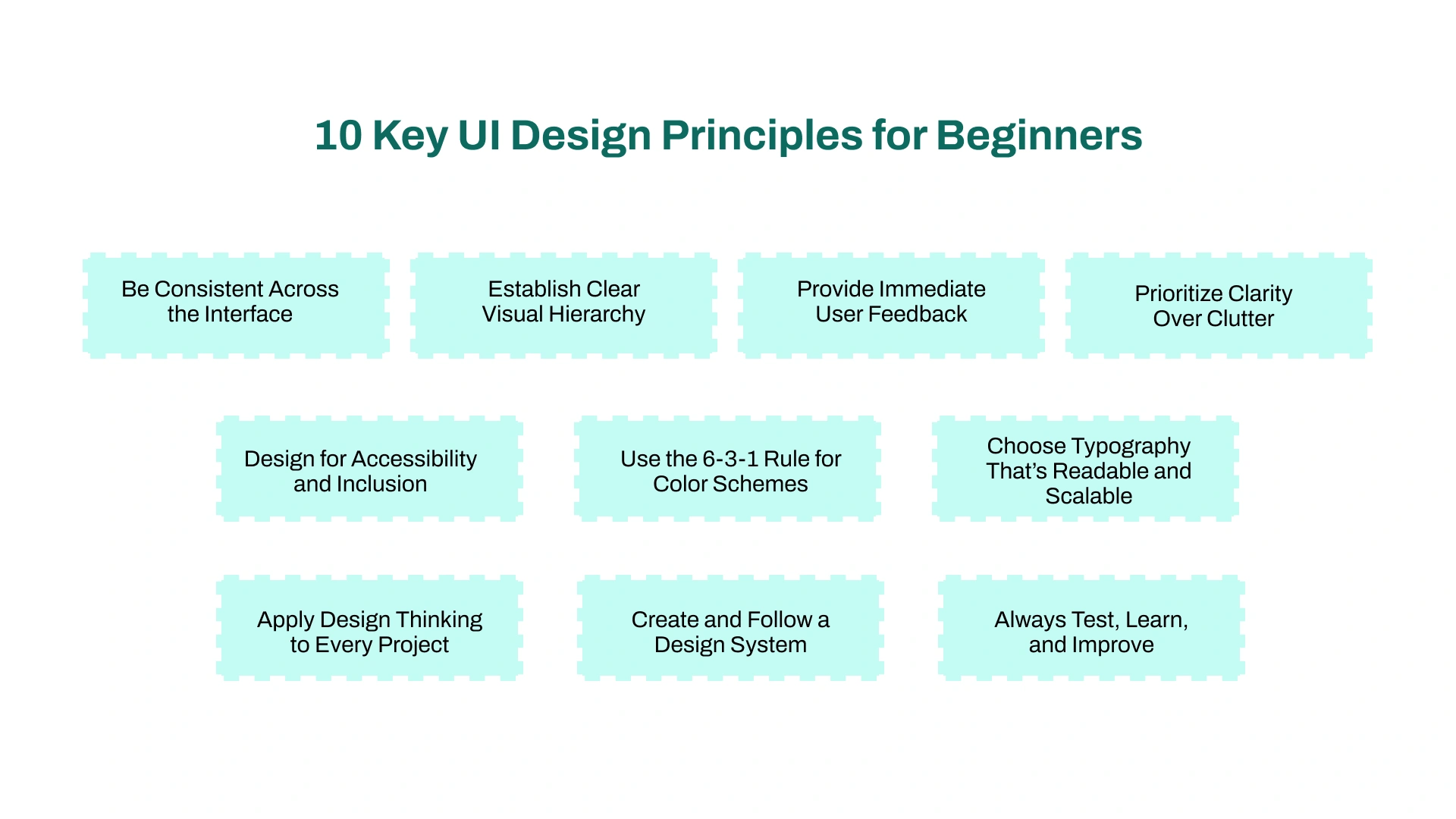
Consistency is the backbone of intuitive user interface design. It means using the same layout patterns, button styles, colors, and interactions throughout the product.
When users see repeating patterns, they build familiarity. This reduces cognitive load and creates smoother navigation.
🟢 Example: If your 'Add to Cart' button is green and rounded on one page, keep it the same across all product pages.
A strong visual hierarchy tells users what to focus on first, next, and last. It’s created using contrast, size, color, and placement to highlight important elements.
This principle ensures users don’t get lost or overwhelmed when scanning a screen.
🟢 Example: Use large, bold headlines for section titles, smaller text for supporting info, and a bright call-to-action button that stands out.
When a user clicks a button or completes a form, they should get instant visual or text-based confirmation. Feedback builds confidence and prevents confusion.
This is essential for smooth user experience design and is expected in modern ui designs.
🟢 Example: Show a checkmark and success message after a user submits their email on a signup form.
Every screen should focus on a single goal. Cluttered interfaces confuse users and lead to bad design. Clear, focused layouts are easier to scan and interact with.
This principle improves both interaction design and task completion rates.
🟢 Example: Instead of showing 10 filters on a mobile screen, reveal the top 3 and offer a “More” dropdown for the rest.
Great UI is inclusive. That means designing for users of all abilities by following accessibility standards like color contrast, keyboard navigation, and readable text.
It’s not just a nice-to-have. It’s a core part of creating user friendly interfaces.
🟢 Example: Use high-contrast text, descriptive button labels, and avoid color-only indicators for error messages.
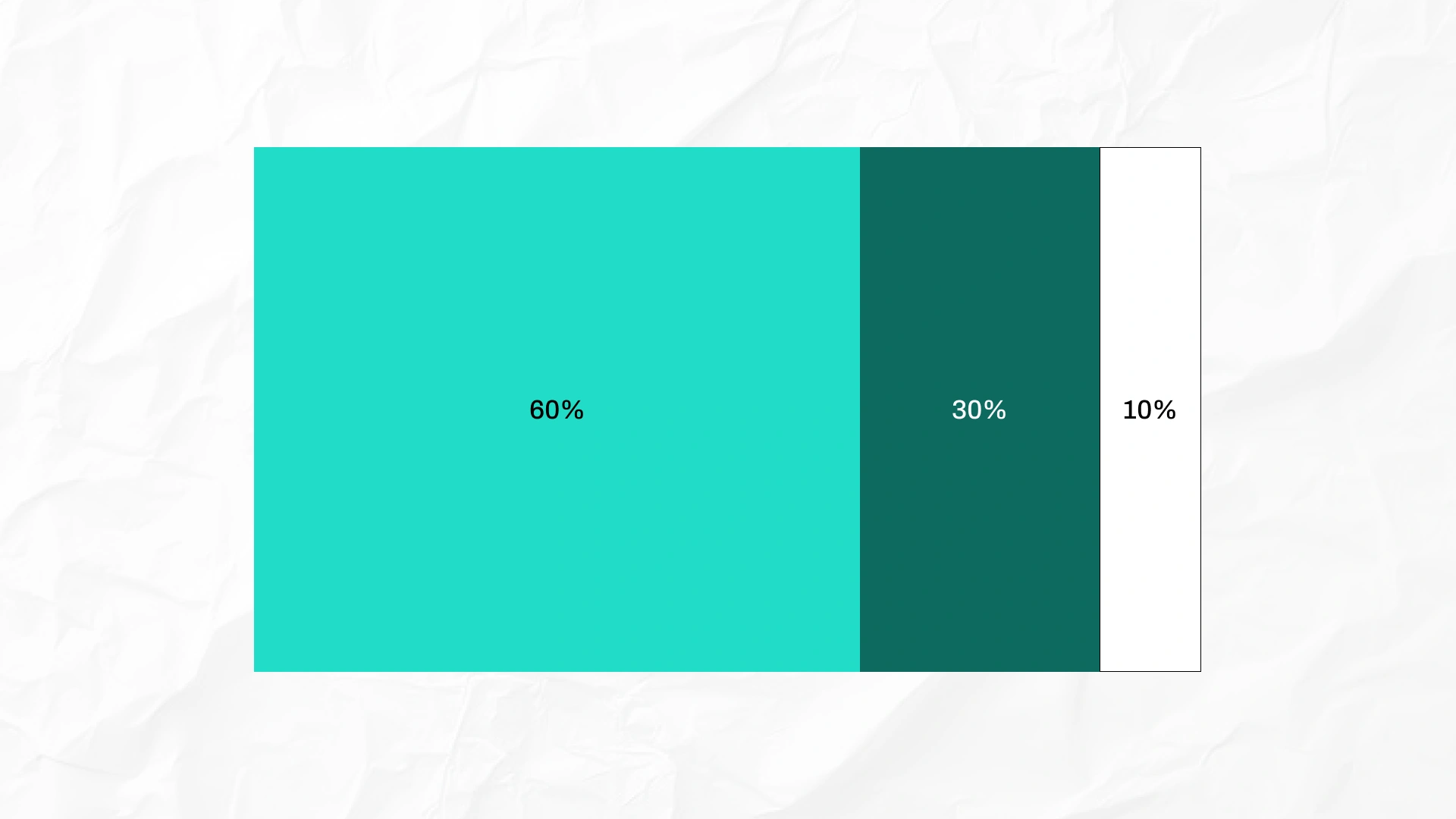
This popular UI color rule (also called the 60-30-10 rule) helps create balanced and professional color palettes. It’s especially useful if you’re just starting to learn UI and feel overwhelmed with colors.
It also reinforces your branding by creating visual consistency across your entire product.
🟢 Example: 60% neutral background (like white or light gray), 30% secondary color (like cards or sidebars), and 10% accent color (like CTA buttons).
Typography directly affects readability, emotion, and clarity. Stick to 2–3 font styles max and define clear heading-body-text hierarchy.
Good typography improves usability and is a skill every UI designer must master.
🟢 Example: Use a bold font for headings (e.g., 24px), a lighter font for body text (16px), and consistent spacing between lines.
Design thinking is a human-centered process used in UX design to solve problems creatively. It emphasizes empathy, testing, and iteration.
Even if you're working solo, this mindset leads to better decisions and stronger designs.
🟢 Example: Before designing a mobile app, talk to real users or analyze reviews to identify key pain points then design around their needs.
Design systems help keep UI consistent across large projects or teams. They include reusable components, tokens, and documentation for every part of your digital product’s interface.
It’s especially useful if you plan to work in UI design consulting or on large-scale UI UX projects.
🟢 Example: Instead of designing a new button each time, create a button component once and reuse it throughout the product.
Design is not one-and-done. Testing with real users reveals what works and what doesn’t. Continuous improvement is what separates great UI from “just okay” designs.
This is key in both prototyping and real world projects.
🟢 Example: Use tools like Maze or PlaybookUX to test your Figma prototypes and gather real feedback before handing off to development.
These are the 15 must-have skills to focus on as you learn UI and build real-world design experience.
To learn UI effectively, you’ll need two things: the right tools to design with, and the right resources to sharpen your skills.
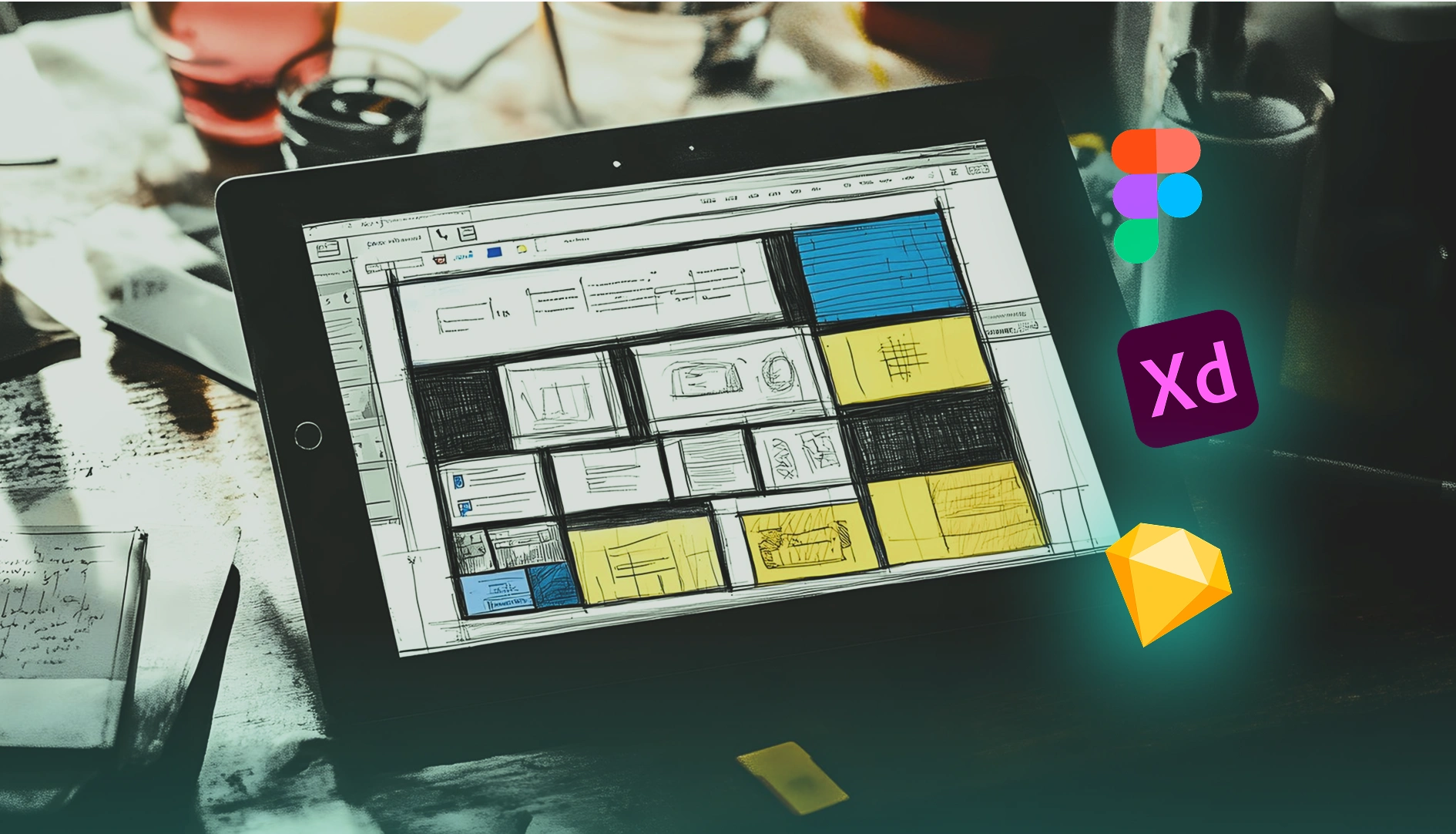
Here are the most widely used UI design tools by professionals:
Start with just one or two tools (Figma is highly recommended for beginners) and work through their official tutorials to build confidence and technical skills.
A well-structured design course can speed up your progress. These courses often teach UI principles, workflows, and portfolio-building:
Courses like these help you avoid common mistakes and give your learning a clear structure.
Books are great for foundational thinking, while blogs and YouTube channels help you stay up to date:
Reading helps you develop your eye and understand the “why” behind good design decisions.

The fastest way to learn UI design is by doing.
These hands-on activities sharpen both your creativity and your user research mindset and help prepare for career opportunities down the road.
Reading about UI design is helpful but doing is what turns you into a designer. Real progress happens when you apply your skills through hands-on projects, critiques, and portfolio case studies that reflect your thinking.
Here’s how to build both skill and credibility.
One of the best ways to teach yourself UI design is to replicate well-designed interfaces from apps or websites you admire. This technique, called copywork, helps you absorb the spacing, visual language, and flow decisions made by experienced UX designers.
Focus on:
Once you’ve built confidence through replication, start making your own UI designs. Design an app or feature based on a personal idea, problem, or user need.
Your portfolio is more than a gallery. It’s a reflection of how you think like a designer. Whether you’re applying for internships, freelance gigs, or full-time roles, recruiters want to see real-life examples of your work and process.
Strong UI portfolios should include:
Remember: even if you're early in your career, hands-on practice and a thoughtful portfolio can often matter more than a degree, and help justify the UI UX design cost you might charge later as a freelancer or consultant.
No designer grows in isolation. Whether you're just starting to learn UI or already working on real life examples, surrounding yourself with creative inspiration and a supportive community will help you level up faster.
Explore what other UI designers are creating. Not to copy, but to understand what works.
Pay attention to how they use color schemes, spacing, typography, and interaction patterns. Deconstructing great work sharpens your eye and helps you develop your own visual language.
Equally important is becoming part of the design community. Sharing your work, receiving feedback, and learning from other designers will accelerate your growth far more than designing alone.
Here’s how to get inspired and stay connected:
Inspiration helps you find your style. Community helps you refine your craft.
Together, they’ll keep your ideas fresh, your confidence growing, and your portfolio evolving with every project.
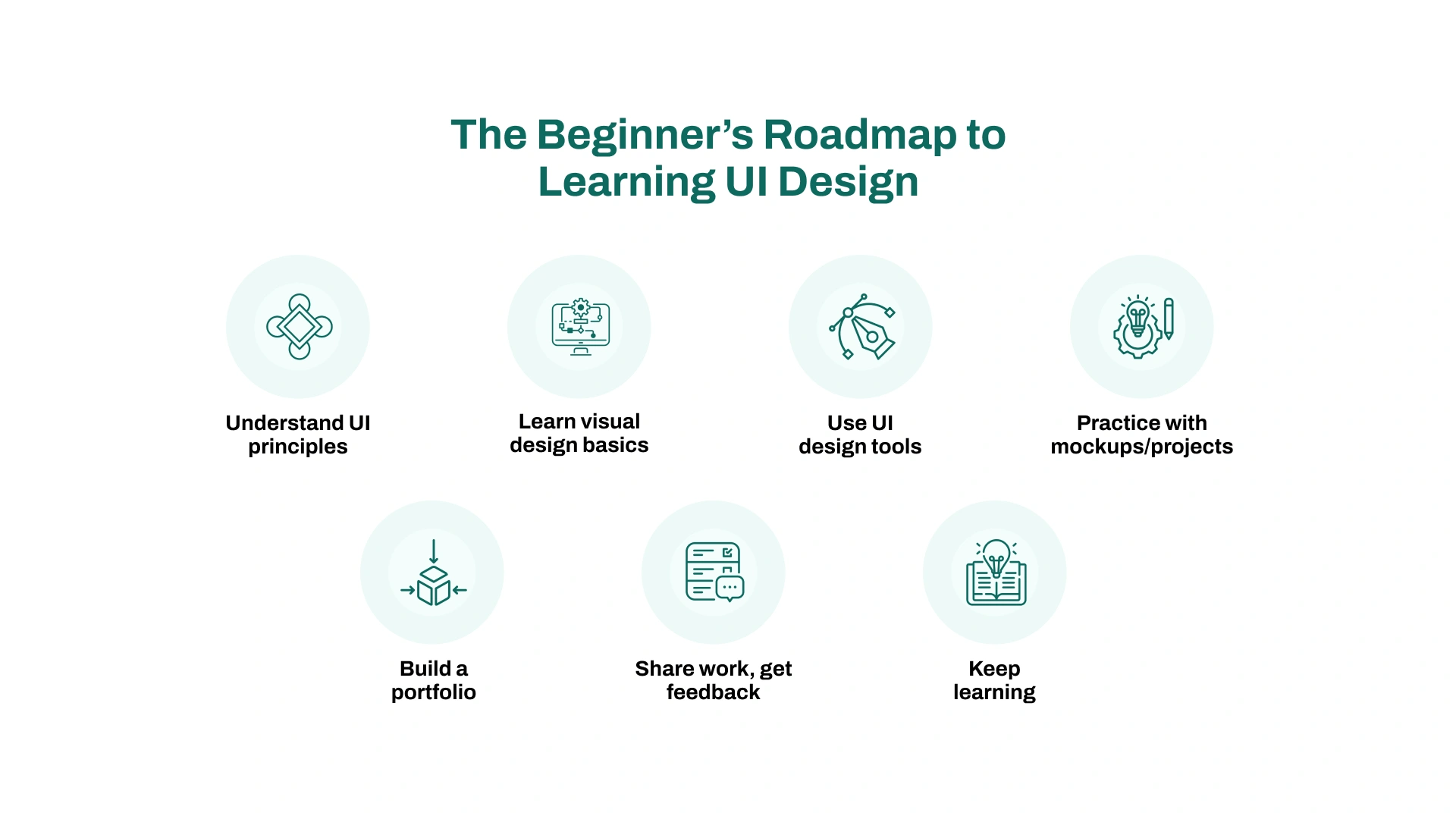
Not sure where to start or what order to follow? Here’s a simple, realistic roadmap to help you learn UI design basics step by step no experience needed.
Before jumping into tools or layouts, start observing design in everyday life. Look at the apps and websites you use daily. Ask yourself why they feel easy or confusing.
Learn basic design terms like typography, spacing, layout, and color schemes. Watch YouTube videos or read blog posts that explain core design patterns.
🟢 Example: Open your favorite app, take screenshots of each screen, and label what stands out the headline, call-to-action, or color contrast.
This is where the real work begins. Study the principles of visual design, like hierarchy, alignment, spacing, and consistency. Learn how to use UI design tools like Figma or Adobe XD to create simple screen mockups.
Focus on creating clear, user-friendly layouts, not flashy designs.
🟢 Example: Recreate a basic login screen in Figma. Practice aligning elements, choosing readable fonts, and adding a primary button.
Once you're comfortable with layouts, explore the UX design side of things. Learn how to plan user flows, run basic user research, and apply interaction design patterns.
The goal is to design with real user needs in mind, not just what looks good.
🟢 Example: Sketch out how a user would go from browsing to checking out in an e-commerce app. Identify every screen and touchpoint.
As you complete projects, turn them into case studies. Don’t just show the final result — explain your problem-solving, iterations, and what you learned. This is essential if you want to build a strong UI/UX portfolio.
Share your work on Behance, Dribbble, or Reddit for feedback.
🟢 Example: For a food delivery app you designed, explain your color choices, layout decisions, and how you improved the design after user testing.
Now it's about refinement. Work on real-world challenges, redesign existing apps, or volunteer for small freelance gigs. Always seek feedback and keep improving.
Even seasoned UI designers grow by staying curious and open to critique.
🟢 Example: Redesign a poor app screen you’ve used recently. Then ask 2–3 people what they’d change or improve, and iterate from there.
Now that you’ve built a solid foundation in UI design, it’s time to think about what comes next.
Consider enrolling in a design course or bootcamp if you want structure, mentorship, or job placement support. Many programs offer real-world projects that strengthen your portfolio and build confidence for client or team work.
As you grow, learn about the business side too. Especially if you’re aiming to offer a UI design service or work within an agency. Understanding how UI/UX design cost varies by project scope will prepare you for freelance or consulting work.
Most importantly, keep learning. Join communities, follow industry leaders, and stay curious about emerging tools and trends. Whether you're aiming for your first job, freelance gigs, or a long-term design career, progress comes from staying consistent and connected.
These five key trends reflect where UI/UX design is heading and what today’s designers should keep in mind as they build real-world projects.
AI is reshaping how we design. Tools like ChatGPT and Uizard help designers brainstorm ideas, generate content, and even build layout drafts faster.
AI is also powering personalized UX. Interfaces adapt based on user behavior, preferences, and context.
🟢 Example: Spotify’s homepage changes based on your listening habits. Tools like Adobe Sensei can now suggest layout improvements during design.
With mobile usage dominating the web, mobile-first design is now the standard. Interfaces must adapt to all screen sizes from phones to tablets and desktops.
Thumb-friendly navigation (placing buttons within thumb reach) is also crucial for usability.
🟢 Example: Design your app screens with 8–10mm tap targets and position key buttons at the bottom of the screen, not the top corners.
Dark mode has gone from a nice-to-have to a user expectation. It reduces eye strain and saves battery life, especially on mobile.
Theme customization (letting users switch between light, dark, or branded modes) supports accessibility and personalization.
🟢 Example: Apps like Slack and Notion let users switch between themes. In Figma, try designing both light and dark versions of your UI.
Small animations and feedback cues make interfaces feel alive. These microinteractions guide users, show results, and enhance delight.
Subtle motion also adds clarity, helping users understand transitions, actions, or loading states.
🟢 Example: Animate a button ripple effect when clicked, or add a loading spinner when submitting a form in your prototype.
Designing for accessibility is no longer optional; it’s essential. Interfaces should work for users with different abilities, devices, and input methods.
At the same time, privacy-first design is growing as users expect transparency and control over their data.
🟢 Example: Use high-contrast text, support screen readers, and include clear opt-in toggles for data permissions or cookie use.
Learning UI design might feel overwhelming at first, but with the right tools, principles, and hands-on practice, you can build real, professional-level skills.
From mastering visual design and UI principles to building a portfolio and joining the design community, every step brings you closer to becoming a confident UI designer.
Start small, stay consistent, and don’t be afraid to iterate and ask for feedback. Whether you're aiming for your first job, freelance work, or just improving your product's user experience, the skills you build now will serve you for years.
Need help getting started or refining your UI process? We’ve got something special for you below.



Musa is a senior technical content writer with 7+ years of experience turning technical topics into clear, high-performing content.
His articles have helped companies boost website traffic by 3x and increase conversion rates through well-structured, SEO-friendly guides. He specializes in making complex ideas easy to understand and act on.