







Building A1 DDP - Dubai Silicon Oasis
Industrial Area - 342001 -
Dubai - United Arab Emirates
+971 50 756 2346


SERVICES

COMPANY LINKS
SIGN-UP
For Newsletter



Prompt design is the practice of crafting inputs that guide AI outputs.
Instead of leaving the model to interpret vague instructions, you provide clear directions, relevant context, and practical examples.
This structured approach ensures that the AI produces responses that are not just technically correct but also accurate, relevant, and aligned with your needs.
In simple terms, prompt design is like “programming with words.”
By following proven design principles, anyone can turn a general query into a well-framed instruction that consistently yields useful results.
The quality of generative AI output isn’t random. It depends on the quality of the input. That’s why prompt design has become the hidden skill behind every effective AI interaction.
Tools like ChatGPT, Bard, and Claude now serve millions weekly. The way a prompt is phrased often decides whether the output is useful or just noise.
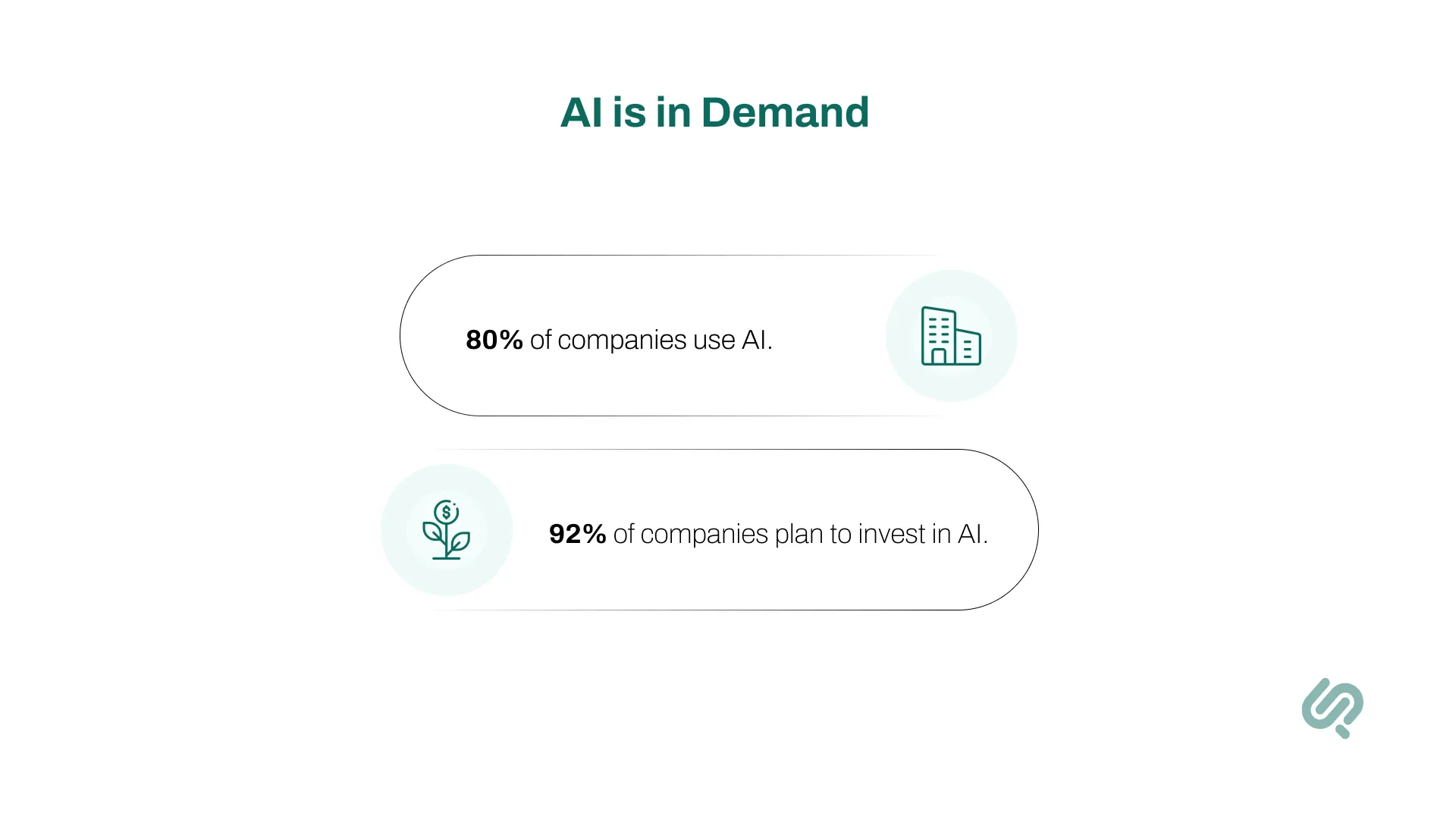
Nearly 80% of companies use AI, with over 90% planning to invest more. Applying prompt design best practices turns vague requests into time-saving, accurate results that drive real productivity (1)

About 1 in 4 U.S. adults has tried ChatGPT. From emails to data analysis, AI is part of daily life, but without clear prompts, answers can be generic or wrong.
Strong prompts save time, reduce errors, and improve reliability. As prompt design guidelines suggest, the more clarity and structure you provide, the more targeted the results will be.
Strong prompts aren’t about complexity. They’re about clarity and structure. Based on the best practices for AI prompt design, effective prompts usually share these qualities:
These qualities form the backbone of best practices and can be applied in everything from content creation to coding, research, and data analysis.
The following are some key elements that will help you while designing your prompt;
Here’s a little secret: before you even ask a question, you can tell the AI who it is and how it should behave.
This is called system prompt design, and it’s like writing the AI’s job description.
Instead of starting cold, you set the stage. Want a friendly teacher? A strict editor? A polite customer support agent? Just say so up front, and the AI will play the role you’ve assigned.
Example system prompt:
“You are a customer support assistant. Answer all questions politely and concisely using bullet points.”
The magic of system prompts is that they don’t just shape one answer; they influence every response in the conversation.
That makes them incredibly useful for things like chatbots, customer service, and business tools, where tone, style, and consistency matter just as much as the facts.
Good prompts don’t just happen. They follow proven design principles that help AI give accurate, relevant, and reliable answers.
With prompt design best practices, you can turn vague requests into clear instructions that deliver real results.
Here are the five core principles every user should know, with examples of weak versus strong prompts to bring them to life:
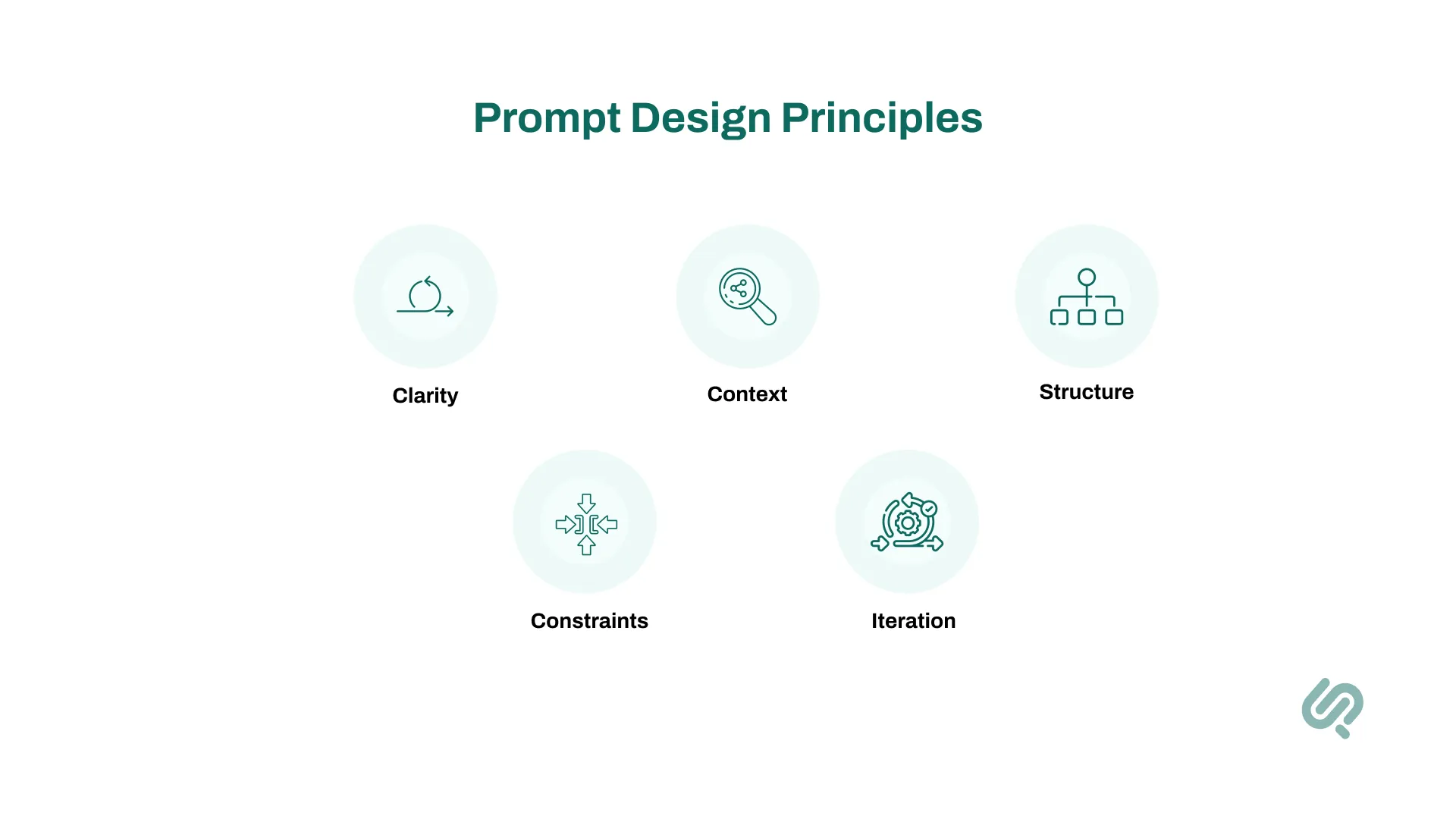
One of the most important design guidelines is to avoid vague or open-ended wording. The AI can’t read your mind, so you need to be precise about what you want.
Clear, unambiguous language cuts out confusion and sets up the AI for a direct, useful answer.
Adding context is one of the best ways to improve quality. Context can include background details, a role, or a target audience. This makes the AI’s response more relevant and personalized.
By providing context, you help the AI shape its output to match the reader, the situation, or the tone you need.
Without guidance, AI responses can be long, messy, or inconsistent. One of the best practices is to tell the model how to structure its answer, whether that’s a list, steps, or a table.
When you set structure, you get responses that are easy to read, easy to scan, and easy to use.
Constraints are about putting boundaries around the output word limits, tone, style, or even what to leave out. This keeps the AI from wandering off-track.
Constraints ensure the output is not just accurate, but also fits the format and tone you need.
No matter how good your first prompt is, it may not be perfect. One of the most powerful design principles is iteration (treating prompts like drafts you can refine).
Iteration is where real mastery happens. Each time you refine, the AI’s responses get sharper, more accurate, and closer to the desired outcome.
These five principles form the backbone of effective prompting.
When combined with strong design guidelines and thoughtful system prompt design, they give you control over the AI’s behavior instead of leaving results to chance.
A controlled study with image-generation models (e.g., DALL‑E) showed that improvements in prompt quality, not just better models, account for about 50% of observed performance gains (2)
Writing effective prompts isn’t about “tricking” the AIit’s about structure and clarity.
Think of it as writing a set of instructions for a colleague: if you’re clear, specific, and organized, you’ll get the results you want.
By applying design principles and following proven prompt design guidelines, you can consistently get accurate, useful, and targeted responses.
Here’s a four-step method you can use every time:
Before typing a prompt, decide what you actually want the AI to summarize, explain, draft, analyze, or generate ideas. A clear goal keeps the output focused and prevents generic results.
This aligns with the best practices for prompt design: always start with a clear objective.
AI performs better when given a role or background scenario. Assigning a persona shapes tone, expertise, and relevance, turning vague responses into useful insights.
Adding context is one of the most important prompt practices, ensuring the AI’s output matches the audience and purpose.
Without structure, AI can generate long, unfocused answers.
Guide the response by specifying the exact format: list, table, paragraph, or code. This ensures the output is easy to use and consistent.
According to common prompt guidelines, setting format constraints is one of the fastest ways to improve accuracy and usability.
The first version of your prompt might not be perfectand that’s expected.
Review the AI’s output, then adjust your instructions by clarifying goals, adding constraints, or refining context. Prompting is an iterative process, and each tweak brings you closer to the desired outcome.
Continuous iteration is at the heart of prompt design principles, treat prompts like drafts, not final instructions.
“Tell me about climate change.”
“You are an environmental policy expert. Summarize the economic impacts of climate change in developing countries over the next decade. Present the answer in 5 clear bullet points.”
This comparison shows how moving from a vague request to a structured instruction dramatically improves results.
By applying prompt practices like adding context, defining a role, and specifying format, you guide the AI toward sharper, more relevant, and more actionable outputs.
Designing prompts sounds simple, but it’s also where most people go wrong. Even experienced users sometimes forget that AI is only as good as the instructions it receives.
When prompts don’t follow solid prompt design principles, the results can feel too generic, too wordy, or simply irrelevant. The good news is that these mistakes are easy to spot and even easier to fix once you know what to look for.
Here are the most common errors, why they happen, and how to avoid them using proven prompt design guidelines.
Why does it happen?
People often start with broad questions like “Tell me about marketing” or “Write something about climate change.” The intention is good, but the AI has too much room to interpret the request, which usually leads to unfocused or superficial results.
Example:
Fix:
According to the best practices for AI design, always define the task clearly. Be specific about the subject, the angle, and the expected outcome.
Think of it as narrowing the lens so the AI can zoom in on exactly what matters.
Why does it happen?
On the opposite end, some users overload prompts with excessive background, thinking that more information means better answers. In reality, too many irrelevant details dilute the request and confuse the model.
Example:
Fix:
Follow prompt design guidelines that emphasize brevity. Keep only the information that frames the task. The AI doesn’t need your entire backstory, just the details that affect the output.
Why does it happen?
Without instructions, AI will default to a free-flow response. Sometimes that’s fine, but often it means long paragraphs when you really want bullet points, a table, or code.
Example:
Fix:
One of the best design practices is to always define the format. If you need a list, ask for a list. If you need a JSON object for an application, say so. Structure is your shortcut to usable, scannable results.
Why does it happen?
Many users treat the first prompt like it should magically deliver the perfect answer. In reality, prompting is an iterative process you refine and adjust until the AI’s output matches your needs.
Example:
Fix:
Adopt the mindset built into prompt design principles: prompts are drafts, not final commands. Each refinement brings the AI closer to the exact desired outcome.
Why does it happen:
It’s natural to tell the AI what not to do, but negative phrasing can confuse the model and lead to compliance issues.
Example:
Fix:
As highlighted in many prompt design guidelines, it’s better to give positive, directive instructions. Tell the AI exactly what to include, not just what to avoid.
Why does it happen?
Users sometimes forget to mention who the output is students, executives, customers, or general readers. Without this, the AI can’t adjust tone, complexity, or style.
Example:
Fix:
Best practices stress tailoring prompts to the audience. Adding this context helps the AI match its voice and detail level to your needs.
Once you’re comfortable with the basics, you can apply more advanced methods to get even better results.
These approaches are part of advanced prompt engineering techniques and are often used in professional settings,

Complex tasks can overwhelm AI if you ask for everything at once. Instead, break them into smaller, logical steps and simple prompt hierarchy.
By feeding outputs from one step into the next, you guide the AI through the process in a structured way.
This incremental approach follows prompt design principles: clarity, structure, and iteration. It reduces errors, prevents the AI from drifting off-topic, and gives you more control over the final output.
Many professionals offering prompt design consulting or services recommend this method because it mirrors how humans naturally solve problems step by step.
Sometimes the answer itself isn’t enough; you also want to see the reasoning. With chain-of-thought prompting, you instruct the AI to explain its steps before giving the final result.
This technique is especially powerful in math, logic puzzles, decision-making, or scenarios where transparency matters.
By asking for the “thinking process,” you encourage the model to break down complex problems. This not only improves accuracy but also helps you evaluate whether the reasoning is sound.
Many modern prompt engineering tools now include built-in templates for chain-of-thought instructions, making it easier to apply at scale.
AI models excel at spotting patterns. By providing a few examples, you guide the AI toward replicating the style, tone, or logic you want.
This is called few-shot prompting, and it’s one of the most effective advanced prompt engineering techniques.
“Translate: Hello → Hola. Translate: Goodbye → Adiós. Now translate: Thank you → ?”
Few-shot prompting follows prompt design guidelines by showing instead of only telling. With just 2–3 examples, the AI learns the pattern and continues it.
This technique is especially useful when working with LLM prompt engineering tasks like structured data extraction, translation, or text formatting, where consistency matters as much as accuracy.
Tone, expertise, and perspective can change the quality of an answer as much as the wording of the prompt. By assigning a role, you give the AI a persona to adopt, shaping how it communicates and the depth of its response.
This method aligns with system prompt design, where the AI is given overarching instructions at the beginning of a session.
For example, setting the AI as “a legal advisor,” “a teacher,” or “a technical writer” ensures consistency across responses.
In business environments, role-based prompting is a cornerstone of prompt design services, since it allows companies to define brand voice, customer service tone, and compliance boundaries right from the start.
These methods aren’t just tricks. They’re part of a growing professional field.
Companies are now hiring prompt engineers, with reports showing that a competitive prompt engineer salary can range from $150,000 to $300,000, depending on expertise.
These professionals rely on LLM prompt engineering methods, structured prompt hierarchies, and specialized prompt engineering tools to optimize outputs at scale.
A study found that when high-skilled professionals use AI tools like GPT-4 effectively, their performance improves by nearly 40% compared to those without assistance (3)
That’s why many organizations now turn to prompt design consulting and prompt design services to standardize internal workflows and train teams.
The easiest way to understand prompt principles is to see them in action. Below are practical examples from different domains such as content writing, coding, customer support, and data analysis.
Each shows how design practices transform vague requests into targeted, high-quality outputs.
Content creation is one of the most common uses of AI, but without structure, the results can be generic.
Following prompt design guidelines like adding role, tone, and format makes the difference between bland copy and content that connects with an audience.
Output (sample):
A lively blog intro describing cherry blossoms, Kyoto’s cultural charm, and an inviting close, such as “Plan your trip today to see Kyoto at its most magical.”
Why it works:
By applying design principles (travel blogger), context (spring season), and constraints (150 words, friendly tone, call to action), the AI produces something polished and audience-ready.
Developers increasingly use AI for writing and reviewing code. Without constraints, the AI may mix explanations with code, making the result harder to use.
Output (sample):
A corrected Python script displayed neatly in a code block, without extra commentary.
Why it works:
The system prompt design (telling the AI to act as a Python developer) plus explicit output requirements reduce ambiguity and deliver usable code instantly.
This follows the prompt design guidelines of clarity and format specification.
Customer service relies on tone and empathy as much as information. A poorly framed prompt may create robotic or unhelpful replies.
Output (sample):
“We’re sorry to let you know your order will arrive 3 days later than expected. We understand delays are frustrating, and we’ve updated your tracking info. Thank you for your patience. Please reach out if you need further help.”
Why it works:
Assigning a role (support agent), setting tone (empathetic), and applying constraints (word count, reassurance) follow best practices for AI prompt design and guarantee consistency across customer interactions.
AI is increasingly used to interpret datasets. Without structure, however, it may produce long, unfocused answers. Prompt design best practices recommend specifying the type of insights and format.
Output (sample):
Why it works:
By adding role (data analyst), context (customer behavior), and format (bullet points), the AI generates actionable insights instead of vague analysis. This reflects prompt design guidelines of context and structure.
These scenarios highlight how prompt design turns weak, vague requests into sharp, actionable results.
Across industries like content creation, software, and customer support, the same prompt design principles apply:
In real-world applications, these techniques are also applied at scale through system prompt design, especially in chatbots, enterprise tools, and customer-facing AI solutions.
Businesses are even investing in prompt design services and prompt design consulting to standardize this process and train teams, since the difference between a weak prompt and a strong one can mean wasted time vs. real productivity.
The future of prompt design looks something like this:
Prompt design is no longer just a side skill. It’s becoming a core part of how we work with AI.
By following prompt design practices and applying proven prompt design principles, anyone can turn vague requests into accurate, structured, and actionable results.
Whether through simple everyday use or advanced prompt engineering techniques in business, well-crafted prompts save time, improve reliability, and unlock the real value of AI.
As adoption grows, investing in prompt design skills today will pay off in sharper outputs, stronger workflows, and new career opportunities tomorrow



Ameena is a content writer with a background in International Relations, blending academic insight with SEO-driven writing experience. She has written extensively in the academic space and contributed blog content for various platforms.
Her interests lie in human rights, conflict resolution, and emerging technologies in global policy. Outside of work, she enjoys reading fiction, exploring AI as a hobby, and learning how digital systems shape society.