




Building A1 DDP - Dubai Silicon Oasis
Industrial Area - 342001 -
Dubai - United Arab Emirates
+971 50 756 2346


SERVICES

COMPANY LINKS
SIGN-UP
For Newsletter


You’ve got a bold idea. Maybe it’s an app design that disrupts your market. Or a website overhaul to boost conversions. But there’s one question you can’t ignore:
“What’s this going to cost me?”
The truth is, the UI UX design cost and factors behind it are more layered than many expect.
Costs swing wildly based on the design process, project complexity, number of interactive elements, and the depth of user research and market research you conduct.
And here’s what keeps CEOs and product owners awake at night: under-budgeting. Because a low upfront estimate often explodes once you factor in complex design elements, custom user flows, or branding strategy work.
Furthermore, we’ll explain the key factors affecting your design cost, real price ranges for different types of design projects, and how to avoid unexpected extra fees, so you can plan your entire project with confidence.
Consider this: companies that invest in UX design see a $100 return for every $1 spent (1). So, skipping great design is a gamble no modern business can afford.
Before we dive deeper, here are a few key takeaways to help you get oriented:
Let’s be real, UI UX design cost can feel like a black box if you’re not used to planning design projects.
So here’s what we’re going to cover step by step:
Let’s break this down.
Freelance designers are usually the most flexible option when it comes to UI UX design cost.
Freelancers are often ideal for early-stage app design, or if you’re testing ideas without investing in a whole design team yet.
But keep this in mind: while they’re cost-friendly, they may lack the resources to handle very complex projects or large-scale user research.
Next up are small studios. They often work with startups or mid-sized businesses.
Studios often bring a tight-knit design team with specialized skills in visual design, branding strategy, and the UI UX design process.
They’re great if you need consistent design expertise without the price tag of a large agency.
If your app design or platform has several features, user flows, or unique custom design needs, you might look at a mid-sized agency.
Mid-sized agencies can manage complex projects, conduct competitor analysis, and handle usability testing.
They’re perfect for businesses scaling fast or dealing with complex elements, icons, advanced features, or heavy user interactions.
Enterprise brands or products targeting millions of users usually require specialized teams and deep, comprehensive research.
Why so high? Larger projects often involve:
Enterprise-level UI UX design cost covers not just the visuals, but the entire design process, from feature planning to post-launch support.
Across the industry, a typical full UI/UX design project in the US costs:
Of course, your costs could fall below or above this based on project complexity and the design expertise you hire.
Knowing these ranges and the factors that affect UI UX design cost can help you plan your design projects wisely and avoid surprises.
No two design projects cost the same.
Some might only need a few simple screens. Others might need complex dashboards, custom animations, and deep user research.
Let’s look at the key factors that really influence UI UX design costs so you can plan your budget wisely.
Here’s what we’ll cover in this section:
Let’s dive in!
This is one of the biggest factors that affect UI UX design cost.
The more complex projects become, the more time and budget they require.
For example:
Each feature you add means more design work and more cost.
Think about:
Feature planning and defining user stories early helps keep surprises and costs under control.
Even a single advanced feature can change your budget. For instance, a custom map integration in an app design might cost thousands more than a static list.
Design elements are where the magic and the costs happen.
Some clients want everything designed from scratch for a unique look. That’s called using scratch design elements instead of a ready-made UI kit.
It looks amazing, but it’s pricier.
Are you designing for:
Each platform has unique design needs.
Mobile apps often require extra work for gestures, touch targets, and device sizes.
If you’re going cross-platform (like web + mobile), your design team might have to adapt design specifications for each interface, raising the overall cost.
Who you hire has a huge effect on your design cost.
Hiring senior designers with proven design expertise can save time (and headaches). They’ll help you avoid costly mistakes by:
Sometimes, paying more upfront means saving money in the long run.
Some design projects only cover screens. Others include a full branding strategy, like:
This work impacts how users interact with your product and boosts user satisfaction. But it also raises the final cost.
Adding brand strategy work means more meetings, more revisions, and more design hours.
Understanding these factors that influence UI UX design cost helps you:
Understanding your UI UX design cost isn’t just about how much you’ll pay; it’s also about how you’ll pay. Different pricing models fit different needs, timelines, and budgets.
PhaedraSolutions offers pricing models that emphasize flexibility and quality.
1. Hourly UI/UX Design Pricing Model
2. Fixed Project Pricing Rates
3. Project-Based UI/UX Pricing
Choosing the right model can help keep your UI UX design cost predictable and aligned with your goals. Contact us to learn more.
When planning design projects, one of the biggest decisions is choosing who will design your product.
Different options come with different costs, pros, and cons.
Let’s look at how freelancers, agencies, and in-house design teams compare when it comes to UI UX design costs.
Freelance designers are perfect for targeted tasks or smaller budgets. Platforms like Upwork make it easy to find talent worldwide. But if you’re building complex flows or advanced interactive elements, you may outgrow a single freelancer fast.
Agencies bring an entire design team with them. They often handle everything from market research, user interviews, and competitor analysis, to full prototyping and user testing. You pay more, but you get a smooth process and polished results.
In-house design teams shine when you have a steady stream of design projects or products evolving over time. They’re ideal for larger businesses needing tight brand consistency and rapid responses to shifting user needs. However, salaries, benefits, and overhead make them the priciest option overall.
When choosing your path, think about:
Understanding these differences helps you make the best call for your business and keep your UI UX design costs in check.
When it comes to UI UX design cost, not every project is built the same, or priced the same.
Some are simple. Others are loaded with fancy animations, complex dashboards, and advanced interactive elements. The type of project you’re building plays a huge role in how much you’ll pay.
Let’s look at how costs break down for different design projects, so you know where your money might go.
The costs we are going to break down include:
Let’s dive in!
Mobile app design can be one of the biggest investments for modern businesses.
A simple app with a few screens, basic buttons, and straightforward user flows might cost as little as $5,000 to $10,000 if you hire a freelance designer or a small studio.
But once you start adding social features, complex user interfaces, or dynamic feeds like those found in social media apps, prices jump fast. Social apps can run anywhere from $20,000 to $50,000 or more.
On-demand apps like ride-sharing or food delivery often require custom maps, payment systems, and notifications. These advanced features push costs higher, sometimes reaching $100,000+ for a polished product design.
The more screens you have, the more user journeys you design, and the higher your design cost will climb.
Simple web design for a corporate website is often cheaper than building a complex app.
For a typical business website, costs might range between $5,000 and $15,000, depending on how many pages you need and your chosen visual design style.
SaaS dashboards, however, are a different beast. They require custom interaction design, lots of data visualization, and careful planning to make sure users stay on the same page without confusion.
E-commerce platforms bring even more complexity. Think product filters, shopping carts, and secure checkout flows. Each piece adds to the project scope and the budget. Costs for e-commerce design projects can start around $15,000 and go well over $50,000 for larger stores.
If you’re creating a digital product that breaks the mold, expect higher costs.
Marketplace apps or unique platforms often require scratch design elements because there’s no one-size-fits-all template. Custom dashboards, interactive prototypes, and unique branding elements drive up costs.
When your platform calls for custom animations, unique icons, or dynamic features, your design team will spend more hours crafting every detail.
Platforms with custom design systems are a good example. Instead of using a pre-built UI kit, designers create everything from the ground up. It’s beautiful but expensive. Such complex projects can easily reach $100,000 or more for the entire project.
One way to save money is by using a UI kit.
UI kits are pre-made collections of buttons, menus, icons, and layout pieces that speed up the design process. They’re perfect for startups or MVPs trying to keep costs low.
By using a UI kit, you avoid paying for custom design elements on every screen. It’s a smart way to reduce costs without sacrificing quality.
However, custom design is still king for brands that want to stand out. If your brand strategy demands a unique look or your app design requires special interactive elements, a UI kit might feel too generic.
Custom design costs more but gives you total control over your brand’s personality, your user interface, and how users interact with your product.
Knowing the typical price ranges for different design projects helps you set a realistic budget and avoid nasty surprises.
And remember, these numbers aren’t set in stone. Many factors affect the final cost, like the design expertise you hire, the level of market research involved, and how much usability testing you choose to conduct.
Understanding the design process is key to knowing why your UI UX design cost can change so much from one project to another.
Each step adds value, but also adds cost. Let’s look at the main stages of most design projects and where your budget might go.
Here’s what we’ll cover in this section:
Let’s start!
The first step in any good UI UX design process is understanding your users.
This means conducting market research, surveys, and user interviews. It also involves competitor analysis to see what similar products are doing.
Good research uncovers:
Skipping research might seem like a way to cut costs. But it often leads to bigger problems and higher expenses down the road. In fact, investing in user experience research can reduce development costs by up to 50% and cut post-launch fixes by as much as 60–100%.
Once you know your users, it’s time to plan how they’ll move through your app design or website.
Wireframes are simple sketches showing layout and structure. They’re like a basic structure for your future product.
This step also includes:
While wireframes are cheaper than full design, they’re crucial for avoiding mistakes later. Changing a wireframe is far cheaper than redesigning finished screens.
This is where your product starts looking beautiful.
The visual design includes:
Sometimes brands want custom design work or unique scratch design elements. These can drive up the design cost, but they also help your brand stand out.
Investing in strong visual design can boost user satisfaction and keep users coming back.
Design isn’t just static images anymore. People expect digital products to feel smooth and modern.
That’s where interactive prototypes come in.
Using tools like Figma or Adobe XD, designers build clickable demos. These let stakeholders and even users test how the product feels before it’s fully developed.
Prototyping helps:
This step can add time and cost, but it’s worth it for avoiding big mistakes.
Testing your designs with real people is critical.
Usability testing helps you:
Whether it’s in-person sessions or remote testing, this stage ensures your design choices work for real users.
Skipping testing is risky. Users might struggle with your product, which could damage your brand or cost you customers.
Design is rarely perfect on the first try.
After you gather feedback, your design team makes changes. This is called iterating.
Each round of changes adds extra hours and extra cost to the entire project.
Investing in iterations often saves money in the long run. Fixing small problems early is cheaper than fixing big ones after launch.
A solid design process takes time, talent, and effort. But it’s worth it. So while the steps above add to your UI UX design cost, they also add massive value to your business.
When you plan a budget for your UI UX design cost, it’s easy to look only at the big numbers, the hours, or the project fee.
But hidden costs can sneak in and push your budget way higher than expected.
Let’s uncover the most common hidden fees in design projects and how you can avoid them.
Hidden costs don’t mean your designers are trying to trick you.
They’re often just details that get overlooked if the project scope isn’t nailed down.
The key is clear communication.
Define what’s included in the design process, how many revisions you’ll get, and any branding elements or unique design elements that could add to your budget.
Knowing about these costs helps keep your final cost predictable and your project on budget.
Planning your budget for a UI UX design project can feel overwhelming.
There are so many factors that affect cost, from the number of screens to how fancy your animations are.
But the good news: there’s a clear path to figuring out your costs and avoiding surprises.
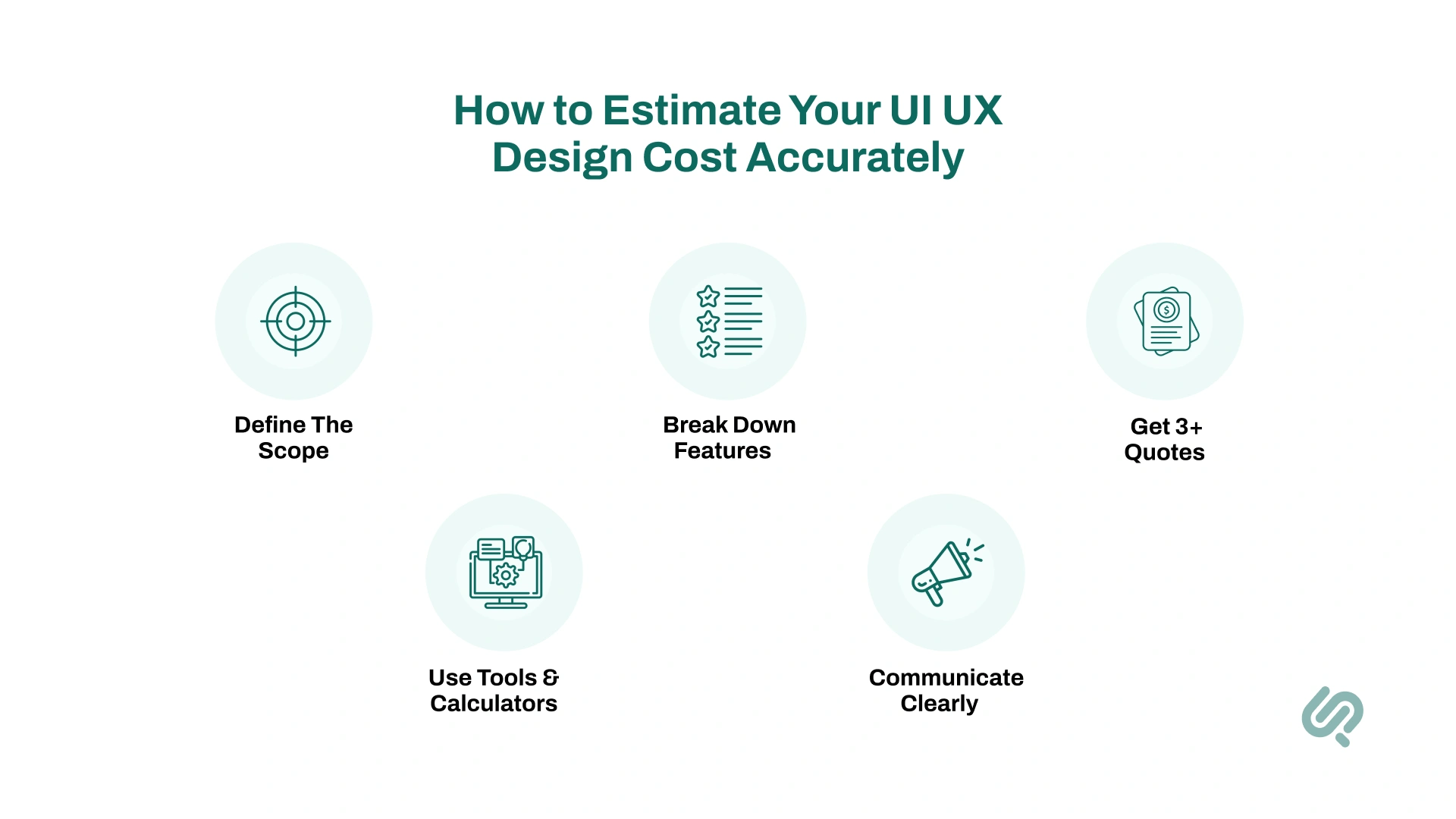
Here’s how to do it step by step.
Let’s dive in!
Everything starts with your project scope.
Think about:
A small app with five screens costs far less than a big dashboard with complex elements, icons, and custom animations.
Being detailed saves money later. Designers will know exactly what they’re quoting for, which keeps your UI UX design cost under control.
Next, list every feature you need.
This is known as feature planning, and it helps you avoid forgetting small things that can blow up your budget later.
Your list might include:
Even a small feature, like interactive elements or fancy transitions, can add hours of design time.
Define your features upfront to avoid surprises.
Never rely on just one price.
Reach out to at least three professionals:
Ask each for:
Comparing quotes helps you see your cost range and understand the value behind different price tags.
If you’re not ready to talk to a designer yet, try online tools first.
Many agencies and design cost estimation services offer calculators where you plug in:
These tools give you a rough estimate of your overall cost so you can budget smarter.
Clear communication is the secret to avoiding hidden costs.
Share everything with your chosen design team:
The more info you give, the fewer surprises you’ll face.
Designers love clients who are prepared. It makes projects smoother and keeps everyone on the same page.
Estimating your UI UX design cost takes time, but it’s worth it.
Following these steps helps you plan your budget, avoid nasty surprises, and make sure your money is spent where it matters most.
And remember: good design isn’t just an expense, it’s an investment in user satisfaction and your business’s success.
Worried about how high your UI UX design cost might climb? The good news you can save money without ending up with a dull or weak design.
Small, smart choices can protect your budget while still delivering quality.
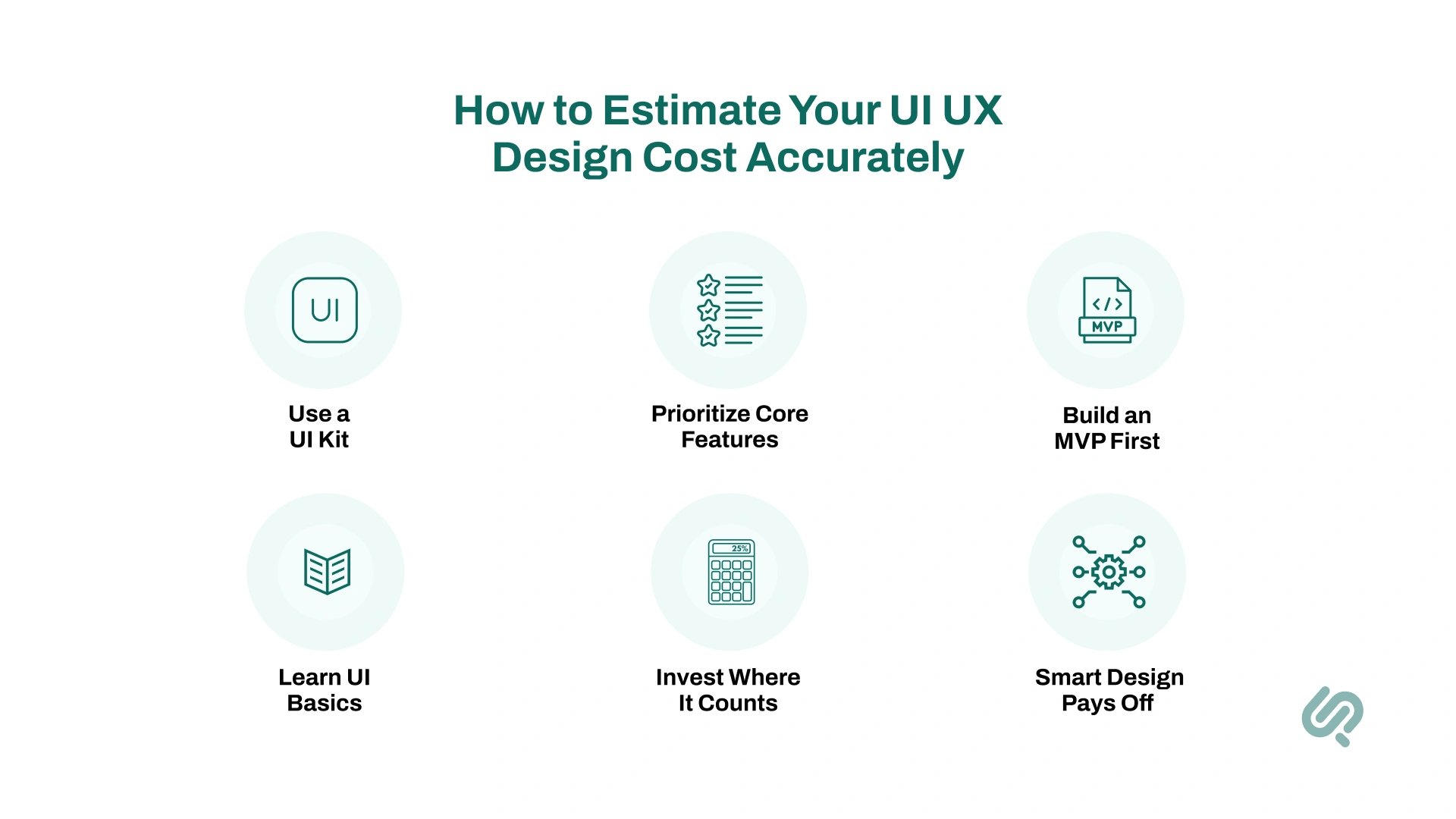
Here’s how to keep costs down without sacrificing results:
Sometimes, paying more upfront for custom work or unique branding is worth it. Smart design isn’t just a cost. It’s an investment.
Design-led companies outperform the S&P 500 by 219% over 10 years, proving that wise design choices pay off. (2)
Even on a tighter budget, you can still build something amazing. You just have to spend wisely.
Knowing your UI UX design cost is only half the picture. The timeline matters just as much, especially if you’re planning launches or pitching investors.
How long UI design takes depends on your project scope, the number of screens, and the complexity of your design elements.
For example,
From developing a high-tech Command and Control Center requiring complex dashboards and real-time data visuals, to building an engaging Esports Tournament Platform with custom user interfaces and interactive elements, timelines and costs have varied widely in our own projects at Phaedra Solutions.
Check them out to see how different projects shape both timeframes and budgets in real-world UI/UX design.
Typically, small projects can wrap up quickly, while complex projects need more time for research, feedback, and revisions.
Here’s a rough idea of typical timelines:
Remember, time spent upfront on planning and research often saves weeks, or even months, of costly changes later.
There’s no single answer to how much UI UX design costs you’ll pay.
It depends on your project scope, the design elements you choose, and how complex your user flows and features are. From hiring a solo freelance designer to working with a full design team, each option comes with its own price range and level of design expertise.
But here’s the truth: investing in good design is worth it.
Whether it’s app design, web design, or a unique digital platform, smart planning in your design process can keep costs under control while delivering great results.
Factors like custom design, visual complexity, and deep market research all shape the final cost of your design projects.
So plan wisely. Focus on what matters most for your users.
And remember: you don’t have to figure it out alone.



Areesha is a content writer with over 2 years of experience in writing about tech and digital trends. She focuses on topics like AI, remote work, and productivity.
Her blogs have helped startups grow their content reach and improve lead generation. She writes with a focus on clarity, simplicity, and reader value.